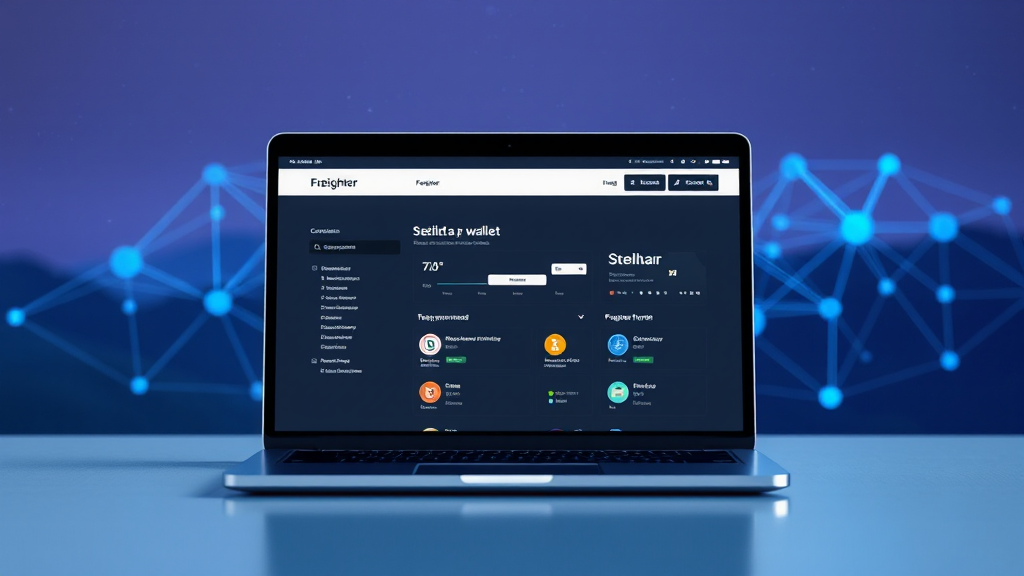
Freighter Wallet: Your Gateway to the Stellar Network
The Stellar network is designed to make cross-border payments and digital asset transfers fast, affordable, and accessible. However, interacting with blockchain-based applications often requires a secure and user-friendly interface. This is where the freighter wallet comes into play. It is a non-custodial browser extension and mobile wallet specifically built for the Stellar ecosystem. Instead of managing complex command-line tools or relying on centralized exchanges, you can use Freighter to store, send, and receive assets like USDC and XLM directly from your browser or phone. In this article, we’ll dive deep into what makes Freighter unique, how it works, and why it’s an essential tool for anyone actively using Stellar-based dApps.
What Is Freighter Wallet and Why Does It Matter?
Freighter is more than just a place to hold your tokens; it’s a bridge to the entire decentralized application (dApp) landscape built on Stellar. Developed by the team behind the Stellar network, Freighter allows you to interact with various web applications without giving up control of your private keys. The wallet acts as a secure gateway, enabling you to sign transactions and manage your account across different platforms seamlessly.
The importance of a dedicated wallet like Freighter stems from the growing need for security and convenience in the crypto space. Centralized exchanges can be vulnerable to hacks and often require you to trust a third party with your funds. In contrast, Freighter is non-custodial, meaning you retain full ownership of your assets and private keys. This aligns perfectly with the decentralized ethos of blockchain technology and gives you peace of mind knowing that you are the sole custodian of your digital wealth.
Key Features of the Freighter Wallet App
The freighter wallet app is packed with features that cater to both beginners and advanced users. Let’s explore some of its most notable capabilities:
- Non-Custodial Security: Your private keys never leave your device. Freighter encrypts your keys locally and requires your password for any transaction, ensuring that only you can access your funds.
- Multi-Asset Support: While XLM is the native currency of Stellar, Freighter supports a wide range of assets, including popular stablecoins like USDC. This makes it easy to manage a diversified portfolio within a single interface.
- Built-In DApp Browser: The mobile version of Freighter includes a browser that lets you explore and connect to Stellar-based applications directly. From decentralized exchanges to NFT marketplaces, you can access them all without leaving the wallet.
- Transaction History: Freighter provides a clear and detailed history of all your incoming and outgoing transactions, making it simple to track your spending and receiving.
- Hardware Wallet Support: For those who want an extra layer of security, Freighter can be paired with hardware wallets like Ledger. This allows you to sign transactions using your physical device while keeping your keys offline.
How to Get Started with Freighter
Getting started with Freighter is a straightforward process. Here’s a step-by-step guide to help you set up your wallet:
- Install the Extension or App: Visit the official Freighter website and download the browser extension for Chrome, Firefox, Brave, or the mobile app from the App Store or Google Play.
- Create a New Wallet: Click on the extension icon and select “Create New Wallet.” You will be prompted to create a strong password.
- Backup Your Recovery Phrase: Freighter will generate a 12-word recovery phrase. Write it down and store it in a secure location. This phrase is your only way to recover your wallet if you forget your password or lose your device.
- Confirm Your Phrase: To ensure you’ve saved it correctly, you’ll need to enter a few words from your recovery phrase in the order they appear.
- Start Using Your Wallet: Once setup is complete, you’ll be able to receive assets by sharing your public address or send assets by entering the recipient’s address.
Connecting to Stellar Applications with Freighter
One of the standout features of the freighter wallet is its ability to connect to a growing ecosystem of Stellar applications. Whether you’re trading on a decentralized exchange, minting NFTs, or participating in token sales, Freighter acts as your authentication tool. When you visit a dApp that supports Freighter, you’ll simply click the “Connect Wallet” button and approve the connection request. This process does not give the dApp access to your funds; rather, it allows the app to view your public address and request transaction signatures from you.
This seamless integration is crucial for user adoption, as it removes the technical barriers that often hinder newcomers. By using Freighter, you can interact with the Stellar network in a way that feels as intuitive as using a regular website. The wallet automatically handles the complexities of transaction building and signing, allowing you to focus on the actual activity you wish to perform.
Security Best Practices for Using Freighter
While Freighter is designed with security in mind, it’s essential to follow best practices to protect your assets:
- Keep Your Recovery Phrase Offline: Never store your recovery phrase digitally. Write it on paper and keep it in a safe place, such as a safe deposit box.
- Use a Hardware Wallet for Large Amounts: If you hold significant amounts of crypto, consider using a hardware wallet in conjunction with Freighter. This adds an extra layer of protection against online threats.
- Beware of Phishing Sites: Always double-check the URL of the website you’re using. Scammers may create fake Freighter websites to steal your credentials.
- Update Regularly: Keep your Freighter extension or app up to date to benefit from the latest security patches and features.
Frequently Asked Questions
Is Freighter wallet free to use?
Yes, Freighter is completely free to download and use. The only costs you may incur are network fees associated with Stellar transactions, which are minimal (typically less than a fraction of a cent).
Can I use Freighter on my mobile device?
Absolutely. Freighter is available as a mobile app for both iOS and Android devices. The mobile app includes a built-in dApp browser, making it easy to interact with Stellar applications on the go.
What happens if I forget my Freighter password?
If you forget your password, you can reset it using your recovery phrase. This phrase is your master key, so it’s crucial to keep it safe. Without it, there is no way to recover your wallet.
Does Freighter support Stellar testnet?
Yes, Freighter has a built-in testnet mode that allows developers and users to experiment with Stellar applications without using real funds. You can easily switch between mainnet and testnet in the wallet settings.
Conclusion
Freighter wallet has established itself as the go-to wallet for the Stellar network, offering a perfect balance of security, functionality, and user experience. Whether you’re a long-time cryptocurrency enthusiast or a newcomer exploring the world of digital assets, Freighter provides the tools you need to manage your assets and interact with the decentralized web. By taking advantage of its non-custodial nature, dApp connectivity, and robust security features, you can navigate the Stellar ecosystem with confidence. So why not give the freighter wallet app a try and experience the future of digital finance today?
Readers who are interested in this topic will benefit from exploring multiple perspectives and understanding the nuanced approaches that industry leaders recommend. Taking time to research thoroughly ensures better outcomes and more informed decision-making.
Those looking to gain deeper knowledge in this area should consider following expert analysis, staying updated with the latest developments, and engaging with professional communities where these topics are discussed in detail.
A comprehensive understanding of this subject requires looking at both theoretical foundations and practical applications. By combining study with hands-on experience, learners can develop a well-rounded perspective that serves them well in real-world scenarios.
As the landscape continues to shift and evolve, staying informed about emerging trends and best practices becomes increasingly valuable. This ensures you remain competitive and capable of adapting to new challenges as they arise.